Informations
This demo shows how to drive the information panel from animation state updates. A Canva subclass updates an image size over time and writes formatted HTML metrics (width and height) into window.information.html at every frame.
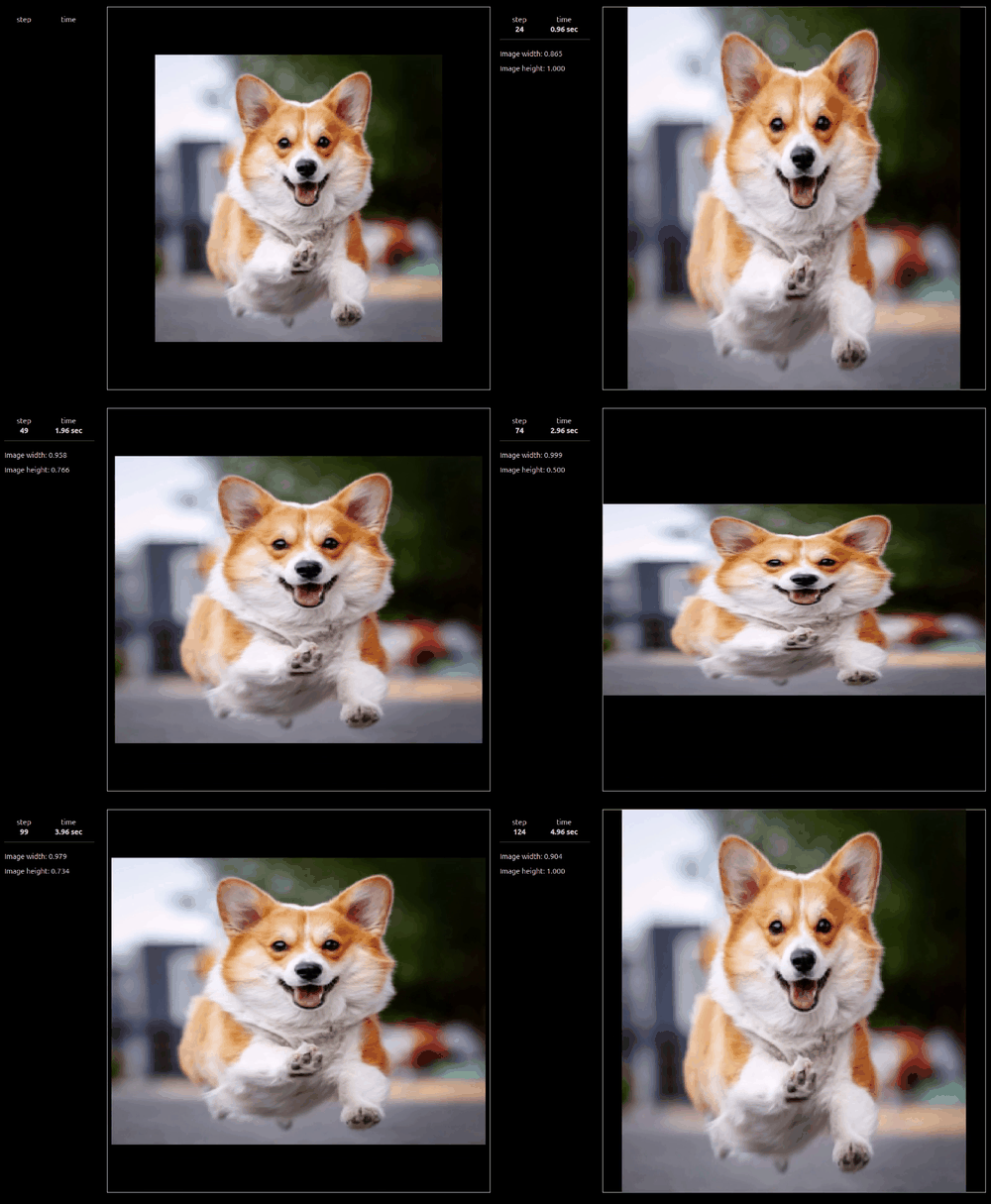
Full Code
 1'''
 2Information panel demo
 3'''
 4
 5import numpy as np
 6import anim
 7
 8# ═══ 2D Animation canva ═══════════════════════════════════════════════════
 9
10class Canva(anim.plane.canva):
11
12  # ────────────────────────────────────────────────────────────────────────
13  def __init__(self, window):
14
15    super().__init__(window, pixelperunit=1000)
16
17    self.period = 50
18
19    self.item.img = anim.plane.image(
20      file = 'demo/images/corgi.png',
21      position = [0.5, 0.5],
22      dimension = self.scale(0)
23    )
24
25    # Initial informations
26    self.window.information.html = self.html()
27
28  # ────────────────────────────────────────────────────────────────────────
29  def scale(self, t):
30
31    sx = np.sin(t/self.period)/4 + 0.75
32    sy = np.sin(t/self.period*np.pi)/4 + 0.75
33    return (sx,sy)
34
35  # ────────────────────────────────────────────────────────────────────────
36  def html(self):
37
38    s = f'<p>Image width: {self.item.img.Lx:.03f}</p>'
39    s += f'<p>Image height: {self.item.img.Ly:.03f}</p>'
40
41    return s
42
43  # ────────────────────────────────────────────────────────────────────────
44  def update(self, t):
45
46    # Update image
47    self.item.img.dimension = self.scale(t.step)
48
49    # Update information
50    self.window.information.html = self.html()
51
52    # Confirm update
53    super().update(t)
54
55# ═══ Main ═════════════════════════════════════════════════════════════════
56
57W = anim.window('Animation with information panel')
58W.information.display(True)
59
60# Add animation
61W.add(Canva)
62
63# Allow backward animation
64W.allow_backward = True
65W.allow_negative_time = True
66
67W.show()