Rectangle
This demo presents the rectangle scene in 2D and shows how the animation state evolves over time with lib-anim. The script defines a canva, adds the corresponding items, and updates them frame by frame to produce the final motion.
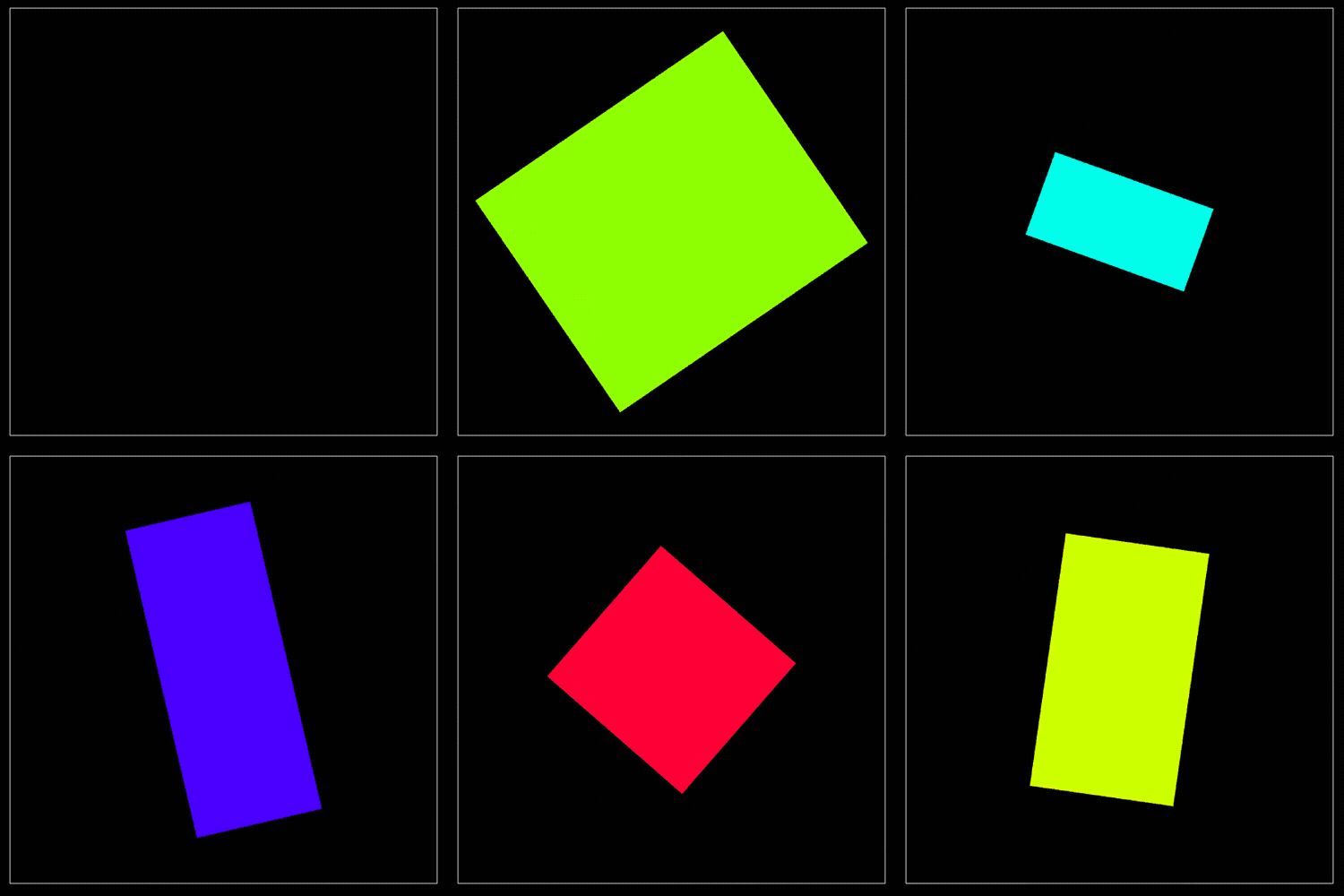
Full Code
 1'''
 22D rectangle demo
 3'''
 4
 5import numpy as np
 6import matplotlib as mpl
 7import anim
 8
 9# ═══ 2D Animation canva ═══════════════════════════════════════════════════
10
11class Canva(anim.plane.canva):
12
13  # ────────────────────────────────────────────────────────────────────────
14  def __init__(self, window):
15
16    super().__init__(window)
17
18    self.item.rect_0 = anim.plane.rectangle(
19      position = [0.5, 0.5],
20      dimension = [0, 0]
21    )
22
23    self.colormap = mpl.colormaps['hsv'].resampled(100)
24
25  # ────────────────────────────────────────────────────────────────────────
26  def update(self, t):
27
28    # Geometry
29    self.item.rect_0.Lx = (np.sin(t.step/10) + 1)*0.3  + 0.2
30    self.item.rect_0.Ly = (np.cos(t.step/23) + 1)*0.2  + 0.3
31    self.item.rect_0.orientation = t.step/40
32
33    # Color
34    self.item.rect_0.color = self.colormap(t.step % self.colormap.N)
35
36    # Confirm update
37    super().update(t)
38
39# ═══ Main ═════════════════════════════════════════════════════════════════
40
41W = anim.window('2D rectangle demo')
42
43# Add animation
44W.add(Canva)
45
46# Allow backward animation
47W.allow_backward = True
48W.allow_negative_time = True
49
50# Display
51W.show()